Activity date and performer
Record the actual date and person carrying out the work. Keep a late entry honest: recording an old activity does not establish that today’s check has been completed.
Keep the result and the remedy together.
Bring emergency-lighting checks, faults and supporting records into one premises logbook. Know what was checked, what failed and what still needs follow-up.
Create your account and save your first entry free. No card required. Ongoing online recording requires a paid plan.
Prefer a printable record? Request the free full logbook PDF/Word pack by email. The free download is the complete logbook, including emergency-lighting records.
New customer annual offer: £49 for your first year, then £59/yearOr £5.99/month · per premises · automatic renewal until cancelled
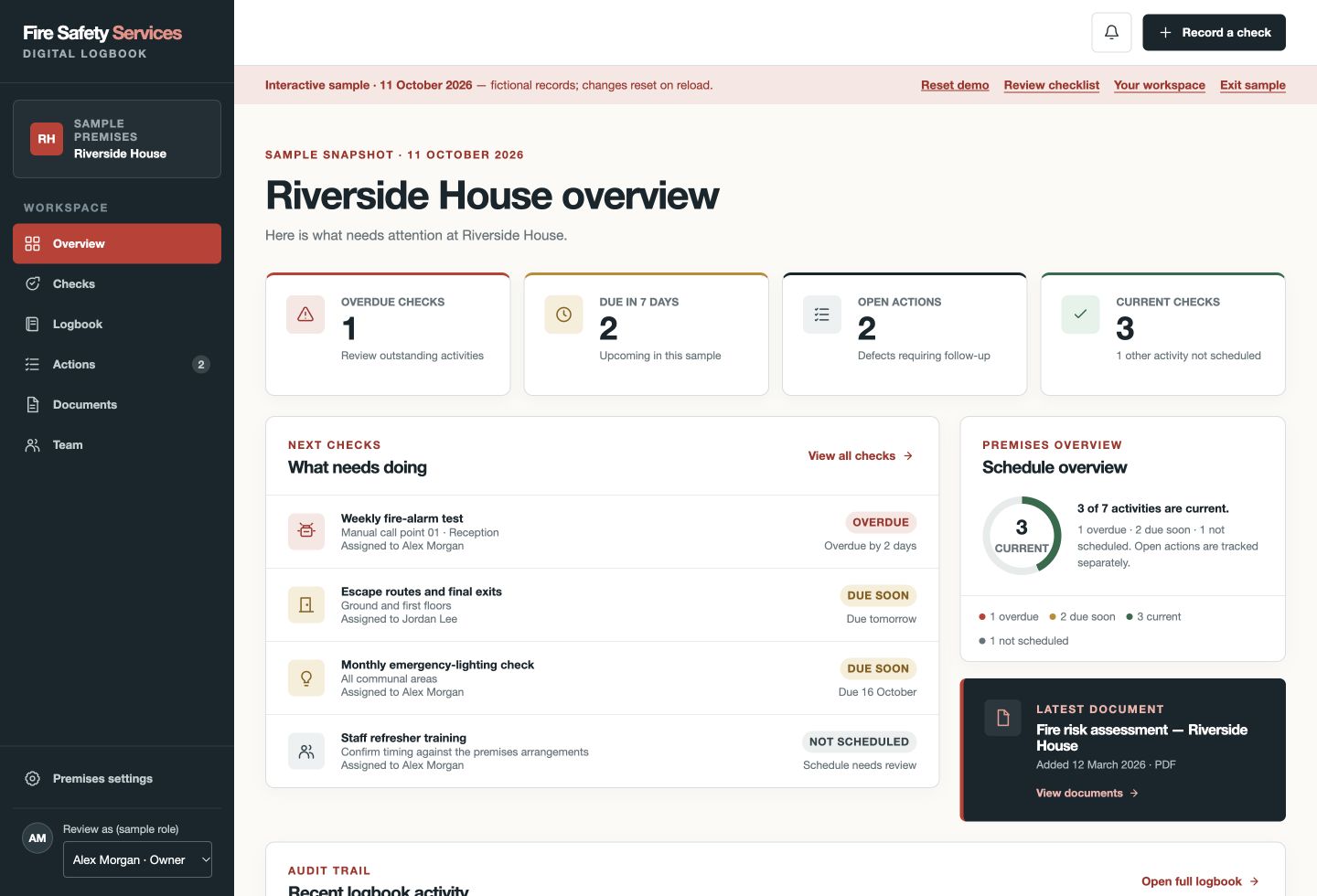
At a glance
The online product is available to UK users. This site’s fire-safety guidance primarily addresses England; apply the duties and system requirements relevant to your premises.
Practical record keeping
A tick alone does not identify a failed fitting or explain whether a check was completed. Make the record traceable to the premises, the activity and the evidence.
Record the actual date and person carrying out the work. Keep a late entry honest: recording an old activity does not establish that today’s check has been completed.
Identify the relevant fittings, route or area clearly. Reference a maintained asset schedule in your notes where useful; the app does not automatically map or count luminaires.
Distinguish a functional check, a visual inspection and a duration test carried out by a competent person. A quick functional check is not evidence of full rated duration.
Record whether normal supply was restored, or why that field is not applicable. Follow the agreed procedure for recharge, occupied conditions and safe testing times.
Describe affected lights, observations, tests not completed and immediate escalation. Do not mark a record satisfactory when an answer indicates a failure or unconfirmed check.
Keep selected service reports, photographs and repair evidence with a paid premises logbook. Track the fault until the necessary work and verification are complete.
A record you can follow
This fictional example concerns one fitting during a functional check. It does not establish full operating duration or decide whether a real escape route remains safe.
Record the area or fitting reference, functional-check activity, supply-restoration answer and outcome. A short functional check is not a full duration test.
Saving Issue found creates a linked action. Review responsibility and the target date, and arrange competent investigation without waiting for another routine check.
Record progress and the verified outcome. Keep selected repair reports or photographs with the action using a paid plan; do not erase the original failed-check entry.
Download the recorded logbook as PDF or Excel with checks and actions. Keep any service certificates available alongside it and distinguish functional checks from duration-test records.
Prefer a printable emergency-lighting record? The free full logbook PDF/Word pack includes lighting records. The online app is a separate paid option for ongoing recording, with one genuine entry free.
One genuine entry free, without a card. Ongoing online recording and supporting evidence require a paid plan.
This fictional example shows how a record can lead to action. It does not determine whether a route is safe or specify temporary precautions for a real building.
Start without a sales call
Enable emergency lighting and retain the system information needed to identify areas, fittings and competent maintenance.
Use the appropriate activity type and describe the result. Add notes for duration, scope and certificate references where relevant.
Keep open actions visible and retain the eventual repair evidence. Review schedules and responsibilities after a change to the installation.
Create your account and save your first entry free. No card required.
Your digital fire safety logbook
A test is only useful if its result and any required follow-up can be found. Compare manual records with an online logbook for your premises.
Built for ongoing record keeping| What you need | Free Word/PDF templateManual records, managed by you | Digital logbookChecks, actions and evidence together |
|---|---|---|
| Emergency-lighting records | Maintain test sheets and file contractor certificates separately. | Record checks and retain supporting evidence with the premises. |
| Follow up faults | Maintain your own action list and follow-up process. | Track corrective actions through progress, resolution and archiving. |
| Keep supporting evidence | Organise photographs and certificates alongside your documents. | Keep evidence with the premises and link it to records or actions. |
| Download your records | Printable PDF and editable Word template. | Full recorded logbook in PDF and Excel, plus JSON and CSV exports. |
New customer annual offer: £49 for your first year, then £59/yearor £5.99/month · per premises · automatic renewal until cancelled
Team access, supporting documents and photographs, optional reminders, and PDF/Excel exports.
Create your account and save your first entry free. No card required.
No card is required for your first genuine entry. Ongoing recording requires a subscription; the full fictional demo is included with your free verified account. A logbook does not replace an FRA, competent maintenance or the action your premises needs.
Know what the record does—and does not do
The usual management routine distinguishes short functional tests from testing the rated operating duration. Choose the method and interval using the current standard, manufacturer instructions, FRA and competent advice—not an unreviewed app default.
Duration testing can leave batteries needing to recharge. Agree an appropriate time and any protection needed while performance is impaired. The app records the activity; it cannot assess safe test conditions.
The landlord, tenant or facilities team may hold different parts of the system information. Agree which areas each record covers and how defects affecting other occupiers are communicated.
Before you choose
The free full fire-safety logbook pack includes emergency-lighting records. Request it from our template page by entering your email and agreeing to subscribe; we email the PDF and Word documents. You can unsubscribe from future subscription emails. It is a full pack, not a separate lighting-only file or a free Excel template. The paid online logbook is separate, with one genuine entry free and PDF/Excel exports of the records it holds.
Yes. Use the emergency-lighting topic to identify the areas or lights checked, activity type, supply restoration and result. Review your actual test interval and procedure rather than treating the app schedule as a legal determination.
Yes. There is a duration-test activity type for work carried out by a competent person. Record the scope and relevant detail in the notes, and retain the supporting report. The app does not measure operating duration or certify a system.
No. Identify fitting or area references in the record and retain your system information separately or as selected evidence. The app does not map the installation or test fittings remotely.
An issue-found record supports a linked corrective action. Record responsibility, progress and the eventual resolution. Saving a check does not mean a defect has been repaired, and archiving a resolved action retains its history.
Yes. One premises logbook can include the relevant topics for that building. The first-entry taster is one genuine entry for the premises in total, not a separate free entry for every topic.
Keep recording checks, follow corrective actions, share access with your premises team and retain supporting documents and photographs. PDF and Excel exports are included. The new customer annual offer is £49 for the first year, then £59 per year per premises, or £5.99 per month per premises. Plans renew automatically until cancelled.
Connected guidance
Get your premises started
Create your account and save your first entry free. No card required. Your verified free account includes the full fictional demo for practice.