Several people record checks
Named Owner, Staff and Viewer accounts give people different permissions without a shared password. The Owner manages who can record activities and who has read-only access.
Choose a routine your team can maintain.
A free document is a useful starting point. A digital logbook brings checks, actions and evidence into a shared workspace. Compare the practical differences before you choose.
Create your account and save your first entry free. No card required. Ongoing online recording requires a paid plan.
Prefer a printable record? Request the free full logbook PDF/Word pack by email. The free files are PDF and Word; the app can export its recorded history to Excel.
New customer annual offer: £49 for your first year, then £59/yearOr £5.99/month · per premises · automatic renewal until cancelled
At a glance
The online product is available to UK users. This site’s fire-safety guidance primarily addresses England; apply the duties and system requirements relevant to your premises.
Practical record keeping
Choose based on how your premises actually works, rather than whether a system is labelled “digital”. The important question is whether the right people can keep the record current and act on what it shows.
Named Owner, Staff and Viewer accounts give people different permissions without a shared password. The Owner manages who can record activities and who has read-only access.
A digital corrective-action list connects an issue with progress and supporting evidence. It still needs somebody responsible for arranging the work and confirming the outcome.
Use a phone, tablet or desktop browser with an internet connection. The app is not an offline system; plan how you will access essential information during an outage.
Keep relevant PDFs and photographs with the premises and connect them to the activity or corrective action they support.
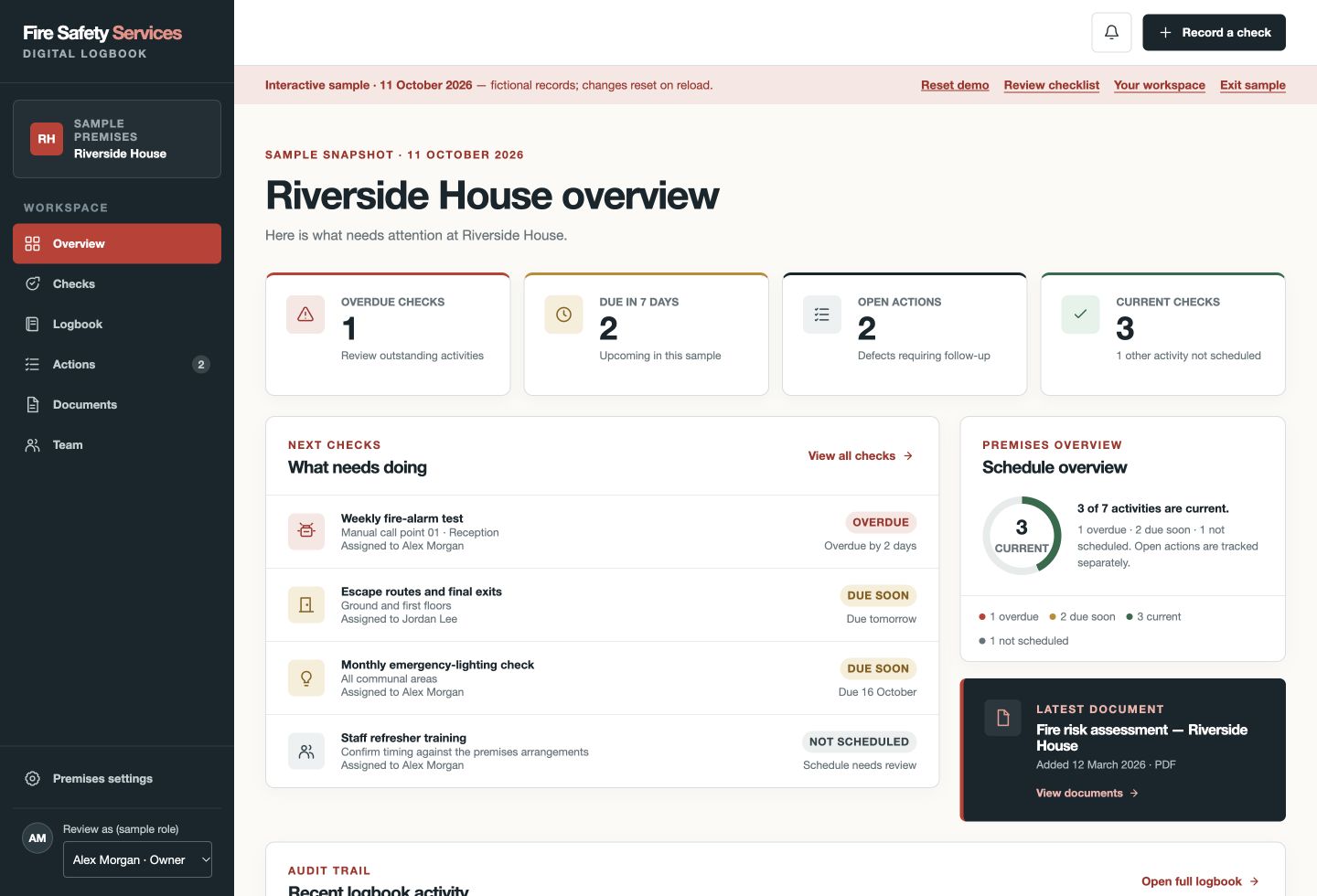
See due checks and open corrective actions together. Optional paid-plan email reminders support the routine, but do not guarantee a check is done or replace escalation.
Download the recorded logbook as PDF or a branded Excel workbook. Digital recording does not require you to abandon a readable copy for a handover or meeting.
A record you can follow
A fictional lighting check exposes one failed fitting. Both paper and digital records need to show what happened and what was done; the practical difference is how you keep that trail connected.
Paper: complete the test sheet and identify the fitting. Digital: save the check with its location, performer and Issue found result. Neither route performs the test for you.
Paper: maintain a defect reference and action list. Digital: review the linked open action, responsibility and target date in the same premises workspace.
Paper: file the maintenance report with the right record. Digital: use a paid plan to link selected evidence to the entry or action, and record the verified resolution.
Paper: assemble the current binder and related files. Digital: download the recorded logbook as PDF or Excel. Both need relevant people to be able to access the history.
A maintained paper record can work. Choose digital when connected actions, named-user access and accessible history make the routine easier to maintain—not because software guarantees compliance.
One genuine entry free, without a card. Ongoing online recording and supporting evidence require a paid plan.
A fictional comparison of working practices—not a customer case study or a claim that software prevents an incident.
Start without a sales call
Identify who records checks, who deals with faults and who needs read-only access. Decide which records must be available at the premises.
Set up one premises and save one real entry without a card. Use the separate fictional demo for practice, not invented entries in your own history.
If the workflow suits your team, select a premises subscription. Keep appropriate old records; the app does not automatically import Word, Excel or paper history.
Create your account and save your first entry free. No card required.
Your digital fire safety logbook
Get a digital logbook to record checks, follow outstanding actions and keep evidence organised as part of your day-to-day routine. A free document template remains available if you prefer manual records.
Built for ongoing record keepingCreate your account and save your first entry free. No card required.
| What you need | Free Word/PDF templateManual records, managed by you | Digital logbookChecks, actions and evidence together |
|---|---|---|
| Record routine checks | Complete and manage your documents manually. | Guided recording designed for phone and desktop. |
| See what needs attention | Review your records and maintain your own schedule. | View due and overdue checks together. |
| Follow up faults | Maintain your own action list and follow-up process. | Track corrective actions through progress, resolution and archiving. |
| Keep supporting evidence | Organise photographs and certificates alongside your documents. | Keep evidence with the premises and link it to records or actions. |
| Coordinate your team | Arrange document sharing, editing access and responsibility yourself. | Named users with Owner, Staff and Viewer permissions. |
| Receive reminders | Arrange your own calendar or email reminders. | Optional email reminders for eligible paid premises. |
| Review previous activity | History depends on your file storage and working practices. | Recorded history with identifiable authors and appended corrections. |
| Download your records | Printable PDF and editable Word template. | Full recorded logbook in PDF and Excel, plus JSON and CSV exports. |
| Cost | Free Word/PDF template by email, with subscription consent. No app account needed. | New customer annual offer: £49 for your first year, then £59/year. Or £5.99/month. Per premises. |
New customer annual offer: £49 for your first year, then £59/yearor £5.99/month · per premises · automatic renewal until cancelled
Team access, supporting documents and photographs, optional reminders, and PDF/Excel exports.
Create your account and save your first entry free. No card required.
No card is required for your first genuine entry. Ongoing recording requires a subscription; the full fictional demo is included with your free verified account. A logbook does not replace an FRA, competent maintenance or the action your premises needs.
Know what the record does—and does not do
A controlled binder or well-managed file can be effective when responsibilities, accessibility and follow-through are clear. We offer a free Word/PDF template for that approach. The paid app is a different working method, not a certificate of compliance.
Your subscription covers one premises. Keep earlier documents and contractor reports available as you establish the new routine. The app needs internet access and does not automatically import historic spreadsheets.
Cancelling renewal does not delete the logbook. After paid recording ends, retained records, basic exports, corrections and existing-action follow-through remain available under the service terms. Account deletion is separate.
Before you choose
It can be a better fit for teams who need shared access, visible corrective actions and connected evidence. A controlled paper or document system can also work. Neither format replaces competent checks, a suitable FRA, maintenance or action on defects.
You can maintain your own spreadsheet if it suits your arrangements. You will need to manage access, changes, evidence storage, reminders and fault follow-up yourself. Our app also exports a branded Excel workbook of the records it holds; it does not automatically import your existing spreadsheets.
You can create an account and save one genuine activity free without a card. Ongoing recording is paid: £49 for a new customer’s first year, then £59 per year per premises, or £5.99 per month per premises. The full fictional demo is included with your free verified account.
Request the free printable PDF and editable Word files on our template page by providing your email and agreeing to the Fire Safety Services email subscription. You can unsubscribe from future subscription emails. No app account or paid plan is required for the documents.
No. Software helps organise records; it cannot confirm that the premises is safe, that the right checks were chosen or that maintenance was competent. Follow the applicable legal requirements, assessment, system instructions and competent advice.
The online product is available to UK users and is not restricted to our local assessment-enquiry area. Fire-safety duties differ between UK nations. The guidance on this site primarily addresses England; use the requirements that apply to your premises.
Connected guidance
Get your premises started
Create your account and save your first entry free. No card required. Your verified free account includes the full fictional demo for practice.