Date and person
Record when the activity actually happened and who carried it out. The digital history also identifies who saved the entry; those may be different people.
Record the test. Follow the fault.
Keep a clear record of what was tested, what happened and what needs attention. Start an online premises logbook for your fire-alarm checks, without another loose test sheet.
Create your account and save your first entry free. No card required. Ongoing online recording requires a paid plan.
Prefer a printable record? Request the free full logbook PDF/Word pack by email. The free download is the complete logbook, including alarm-test records.
New customer annual offer: £49 for your first year, then £59/yearOr £5.99/month · per premises · automatic renewal until cancelled
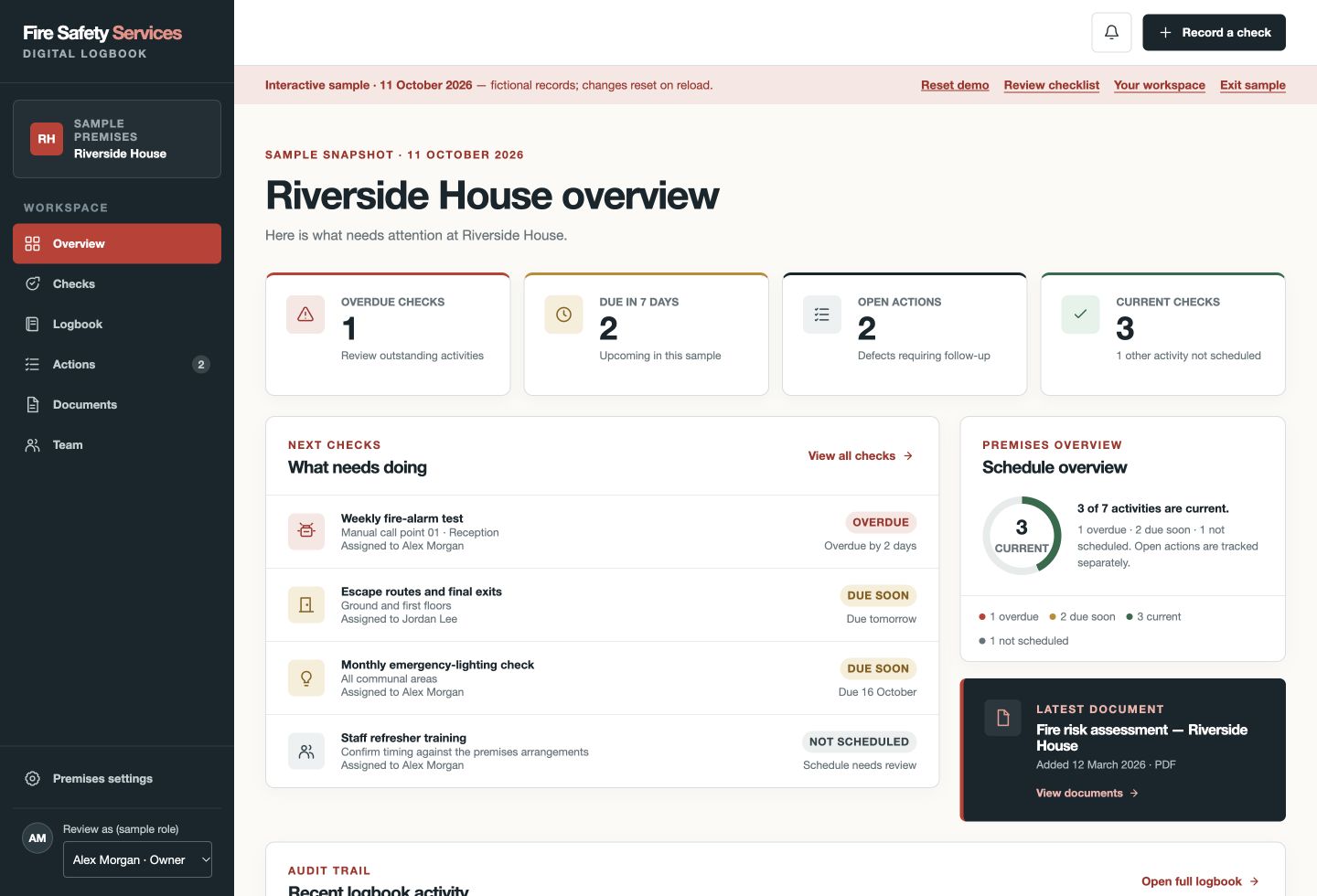
At a glance
The online product is available to UK users. This site’s fire-safety guidance primarily addresses England; apply the duties and system requirements relevant to your premises.
Practical record keeping
A useful record identifies the activity and its result clearly enough for another responsible person to understand it. Include the following details in your alarm logbook or agreed maintenance record.
Record when the activity actually happened and who carried it out. The digital history also identifies who saved the entry; those may be different people.
Identify the point or location tested so records can support your agreed test rotation. The app does not automatically select the next call point or maintain a complete device inventory.
Record whether the signal was heard in the areas checked and whether the panel reset normally. Do not describe unchecked areas or functions as having passed.
Choose a satisfactory result, an issue found or an activity not completed. Use notes for the relevant observations, limitations and arrangements with a monitoring service.
Describe a failure and what was done immediately. Escalate it through the premises procedure; an online action must not delay a safety response or competent repair.
Use corrective actions to record responsibility and progress. A paid plan lets you retain selected supporting files and certificates alongside the premises records.
A record you can follow
This fictional example turns a weekly alarm-test record into a clear follow-up trail. It is not an instruction to operate an alarm system or a completed customer test.
Save the point or location, audibility answer, panel-reset answer and actual performer. Record only what was checked; the app does not test or monitor your alarm.
The Issue found outcome creates an open action. Review the owner and target date and record the immediate response. A later routine test does not close this fault.
Record progress and the eventual verified resolution. A paid plan lets you add selected maintenance reports or photographs alongside the action or entry.
Export the premises history as PDF or Excel for review or handover. Keep the original failed check and the action history, not just the latest satisfactory result.
If you need a printable fire-alarm test sheet, request our free full logbook PDF/Word pack. It includes alarm records; this page does not promise a separate alarm-only download.
One genuine entry free, without a card. Ongoing online recording and supporting evidence require a paid plan.
This is a fictional recording example, not a certificate, completed customer record or instruction to operate your system.
Start without a sales call
Choose the fire-alarm topic and review the schedule against the premises procedure and competent advice.
Enter the location, response, reset and result after the activity. Save one genuine activity free, without a card.
Subscribe for ongoing recording, selected evidence, named-user access and optional reminders. Follow any open action through to verified resolution.
Create your account and save your first entry free. No card required.
Your digital fire safety logbook
Keep the test record, what was checked and any fault follow-up connected. Choose a document-based approach or an online logbook for ongoing recording.
Built for ongoing record keeping| What you need | Free Word/PDF templateManual records, managed by you | Digital logbookChecks, actions and evidence together |
|---|---|---|
| Fire-alarm test records | Enter test details in the template and maintain your own filing system. | Record the activity, result, performer and notes in the premises logbook. |
| Follow up faults | Maintain your own action list and follow-up process. | Track corrective actions through progress, resolution and archiving. |
| Keep supporting evidence | Organise photographs and certificates alongside your documents. | Keep evidence with the premises and link it to records or actions. |
| Download your records | Printable PDF and editable Word template. | Full recorded logbook in PDF and Excel, plus JSON and CSV exports. |
New customer annual offer: £49 for your first year, then £59/yearor £5.99/month · per premises · automatic renewal until cancelled
Team access, supporting documents and photographs, optional reminders, and PDF/Excel exports.
Create your account and save your first entry free. No card required.
No card is required for your first genuine entry. Ongoing recording requires a subscription; the full fictional demo is included with your free verified account. A logbook does not replace an FRA, competent maintenance or the action your premises needs.
Know what the record does—and does not do
A weekly user-test record is not a servicing certificate. The appropriate regime depends on the system and premises; use current instructions and competent advice. Our testing guide explains the distinction.
The app does not monitor your panel, remotely test devices, contact an alarm receiving centre or confirm audibility. A competent person must carry out the actual activity safely.
Retain relevant service reports and communicate failures to whoever controls the system. In a shared building, agree what the landlord records and what the occupier must do.
Before you choose
Request the free full fire-safety logbook pack on our template page. We email the printable PDF and editable Word documents, which include alarm-test records, after you provide your email and agree to subscribe. You can unsubscribe from future subscription emails. This page does not offer a separate alarm-only file or a free Excel template. The online app is a different option: one genuine entry is free; ongoing recording requires a paid premises plan.
Yes. Record each real activity in the fire-alarm topic, including the call point or location, areas checked, panel reset, result and notes. Review the schedule to match your actual system and premises arrangements.
Do not confuse the duty to maintain precautions and keep appropriate records with a requirement to buy a particular logbook. Use a record system that is suitable, accessible and accepted for your premises arrangements; check any specific licence, contract or enforcing-authority requirements.
No. You identify the point or location tested. Use the system information and your agreed procedure to plan rotation; the app is not a device-inventory or alarm-control system.
Yes. The full recorded logbook is available as PDF and Excel, with other record exports. The Excel workbook includes check records and actions. Retained records and basic exports remain available if paid recording ends.
Your first genuine activity for the premises is free, with no card required. This is one entry across the premises logbook, not one free entry for each topic. Ongoing recording requires a paid premises plan.
The new customer annual offer is £49 for your first year, then £59 per year, per premises. Alternatively choose £5.99 per month per premises. Subscriptions renew automatically until cancelled; no VAT is added.
Connected guidance
Get your premises started
Create your account and save your first entry free. No card required. Your verified free account includes the full fictional demo for practice.